


Simply Guitar - Learn Guitar
4.610.62K Reviews
App Specs
- Version
- 9.7.35
- Updated On
- License
- Free
- Downloads
- 10,000,000+
- Developer
- Simply Ltd
- Categories
- Education
- Platform
- Android, iOS
Screenshots

 Analysis by AppCompare
When I’m choosing a guitar-learning app, I look for three things: a clear first step, feedback that helps me fix mistakes, and a practice routine I can actually fit into an ordinary day. Simply Guitar is built around that beginner-friendly path, with guided lessons and the ability to hear you play. It is an education app from Simply Ltd, free to download, and suitable for everyone. The app has a 4.6 average from around 346,000 ratings and more than 10 million installs, which suggests it has reached a broad audience without telling me whether it will suit every learner.
Start with the kind of learner you are
This is a sensible choice if you own a guitar, are new to playing, and want direction rather than a pile of unrelated videos. Its guided approach gives practice a sequence: learn a small skill, try it, then return to it when it needs work. That structure can be especially helpful if you tend to put an instrument down because you are unsure what to practise next.
It is less compelling if you already read music comfortably, want to study theory in depth, or need detailed feedback from a human teacher. An app can listen for played notes, but it cannot watch every detail of your posture or understand why a technique feels uncomfortable. If you have pain, persistent hand tension, or a specific musical goal that needs tailored coaching, I would use a qualified teacher rather than treating app feedback as a substitute.
Make the listening setup work for you
The app’s listening feature is central to the experience, so a little setup care can save frustration. I’d tune first, place the phone where it can hear the guitar clearly, and practise away from a television or noisy conversation. On an acoustic guitar, the phone needs to pick up the strings; with an electric guitar, the sound reaching the phone matters too. If a note is repeatedly marked wrong, I would check tuning and placement before assuming the lesson is beyond me.
A useful habit is to separate “the app didn’t recognise that” from “I played that badly.” Phone microphones, room noise, string buzz, and a very light touch can all affect what the app hears. Repeat a short phrase slowly, let notes ring cleanly, and then try again at the lesson’s intended pace. That small troubleshooting routine makes the feedback more useful and keeps a recognition hiccup from turning into a discouraging practice session.
A realistic routine, not a grand plan
For a busy learner, I’d attach practice to something already in the day: a short session after work, before dinner, or while the guitar is already out. The practical advantage is not that an app removes the effort of learning; it reduces the effort of deciding what to do next. A few focused minutes on one chord change can be more useful than opening a long video, browsing for a song, and never picking up the instrument.
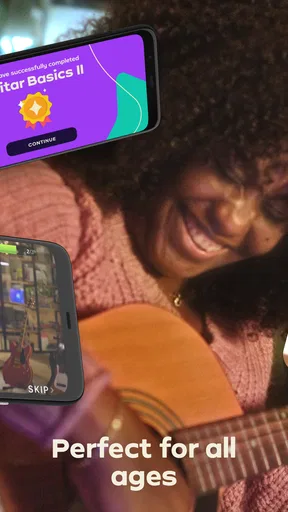
Try ending each session by noting one thing that felt easier and one thing to revisit. The progress tracker can help you see movement through the lessons, but a completed screen is not the same as a skill you can use without prompts. I’d occasionally play a familiar chord change without following the display, then return to the lesson. That quick self-check shows whether the practice is sticking rather than merely keeping pace with the interface.
Worth Reading Before You Choose

Flipboard Shows What News Apps Must Do Beyond the Feed

Switching to Android Auto Means Rethinking Your Driving Routine

Google Calendar Makes a Crowded Week Easier to Manage

Ludo King Makes the Most of the Minutes Between Plans

Baby Panda World Brings Quick Play to Modern Phones, but Its Game Library Feels Busy

ESPN’s Live Game View Makes Following Close Games Easier
Getting Started with Simply Guitar
First things first, downloading Simply Guitar was a breeze. It's available on both Android and iOS, so no worries about compatibility. Once you open the app, you’re greeted with a friendly interface that makes even a newbie like me feel right at home.
The app kicks off with some basic instructions and a quick setup guide. It even listens to your guitar to ensure it's perfectly tuned before diving into the lessons. Talk about a personal touch! And yes, even if you have no clue about tuning, the app’s got your back with a built-in tuner.
Lessons Tailored for You
This is where things get interesting. Simply Guitar doesn’t just throw you into the deep end. The lessons start with the basics, covering everything from finger placement to strumming patterns. Each lesson feels like a mini-achievement, and trust me, there's nothing quite like nailing that first chord progression.
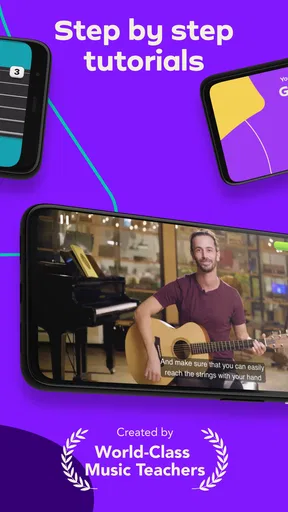
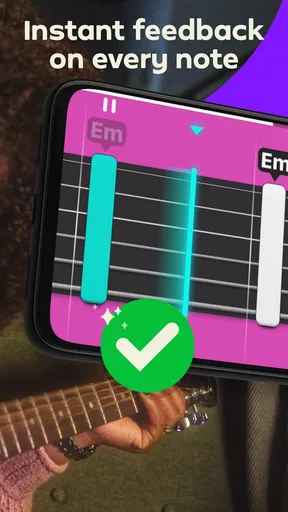
What I love most is the real-time feedback. As you play along with the lessons, the app listens and tells you if you’re hitting the right notes. It’s like having a personal guitar teacher in your pocket. Plus, the video tutorials are super engaging, with instructors who somehow make learning chords less of a chore and more of a jam session.
Practice Makes Perfect
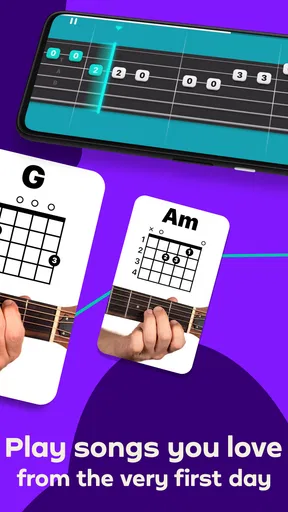
Simply Guitar doesn’t just teach; it motivates. It has a clever way of mixing practice with play. After a few lessons, you’re encouraged to play along with popular songs. This is where the fun truly begins. Whether you’re into pop, rock, or classical, there’s something for everyone. I found myself strumming along to my favorite tunes in no time.
The practice sessions are designed to improve your skills incrementally. It’s not about perfection on day one, but about progress. And hey, if you need to go over a lesson again, the app is always there, patiently waiting for you to hit replay.
Features and Usability
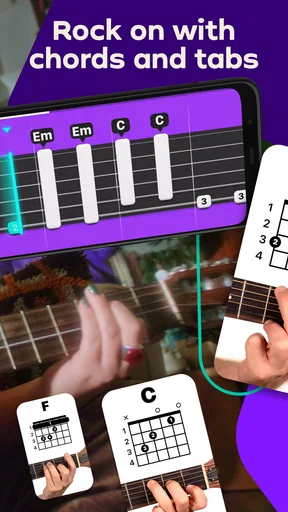
Let’s talk features. Apart from the lessons, the app boasts a neat chord library. This is a lifesaver when you're trying to remember that elusive chord in the middle of a jam. There’s also a progress tracker that gives you a nice sense of achievement as you advance through the levels.
In terms of usability, the app is pretty slick. Navigation is intuitive, and everything is laid out in a user-friendly manner. You don’t have to be a tech wizard to find your way around, which is always a plus in my book.
Choosing between guided lessons and other ways to learn
The main alternative is not one single rival app; it is the wider choice between a structured course, free online videos, chord charts, and lessons with a person. I prefer Simply Guitar when I want a clear sequence and immediate play-along feedback. A video library can be better when I already know what I want to learn, while a chord chart is quicker if I only need to look up a shape. Neither gives the same guided practice loop, but both can be more direct for a narrow question.
In-person teaching is a stronger option when I need someone to spot a recurring hand-position problem, answer questions in context, or adapt a lesson to a particular musical aim. The app’s convenience is real, but convenience does not equal individual diagnosis. I see it as a useful practice companion, not a replacement for every kind of instruction.
Keep the subscription decision practical
The download is free, but in-app purchases range from $9.99 to $179.99 per item, so I would check the purchase details shown in the app before committing. I would first use the available introductory experience to see whether I like the lesson style, whether the listening feedback works reliably with my guitar, and whether I can keep a regular practice habit. If any of those are a poor fit, paying for more access is unlikely to solve the underlying problem.
Before switching to another learning method, I’d also consider what I would lose: a familiar lesson sequence, the routine I have built, and the convenience of returning to a specific exercise. There is no need to keep paying simply because I have already practised with it, though. If I have moved beyond the beginner material or need deeper theory, I can keep the app for review while using books, targeted videos, or a teacher for the next step.
What Could Be Better?
No app is perfect, and Simply Guitar is no exception. While the free version offers quite a bit, unlocking the full range of features requires a subscription. It’s definitely worth it if you’re serious about learning, but it’s something to keep in mind if you’re on a budget.
Also, while the app is great for beginners, intermediate players might find the initial lessons too basic. However, the advanced lessons do ramp up the challenge, so there’s something to look forward to as you improve.
There is also a trade-off in learning through a phone: feedback is useful for practising notes and following a lesson, but it can encourage me to watch the screen instead of listening to the sound I am making. I try to look up between prompts and hear whether the chord rings evenly. That attention matters because passing an exercise is only one part of becoming comfortable with the instrument.
Final Thoughts
Overall, Simply Guitar is a fantastic tool for anyone looking to pick up the guitar. Whether you’re a complete beginner or someone dusting off their old guitar, this app provides a structured yet enjoyable way to learn. With its interactive lessons and a wide array of songs to play along with, it’s like having a personal tutor who’s available 24/7.
If you’ve been putting off learning the guitar, now might just be the perfect time to start strumming away. So go ahead, give Simply Guitar a try. Who knows, you might just discover your inner rock star.
Who I’d recommend it to
I would recommend it most to someone who wants a low-pressure way to begin, owns any kind of guitar, and benefits from being told what to practise next. It is also a reasonable way to restart after a long break: revisiting basic chords can expose what you remember and what has become rusty, without requiring you to plan a whole curriculum first.
I would hesitate if your main goal is advanced improvisation, detailed music theory, or preparing for a specific performance. In those cases, a focused course or teacher can respond to your questions more precisely. For a new player deciding whether to begin at all, though, a guided lesson and a guitar within reach are a practical combination. Simply Guitar runs on Android 6.0 or later, is currently version 9.7.7, and carries an Everyone age rating, making it accessible to a broad range of learners.
Pros
- User-friendly interface for beginners.
- Interactive lessons with real-time feedback.
- Wide range of songs to practice.
- No prior experience needed to start.
- Progress tracking keeps you motivated.
Cons
- Requires a paid subscription for full access.
- Limited offline functionality.
- Initial setup can be time-consuming.
- Occasional app crashes reported.
- Some users find tuning feature inaccurate.
FAQs for Simply Guitar - Learn Guitar
What is Simply Guitar and how does it work?
Simply Guitar is an interactive app designed to teach users how to play guitar from scratch or improve their existing skills. It offers step-by-step lessons, practice routines, and real-time feedback by using your device's microphone to listen as you play. The app is suitable for beginners and experienced players alike.
Is Simply Guitar suitable for complete beginners?
Yes, Simply Guitar is perfect for complete beginners. The app provides a structured learning path starting with the basics such as holding the guitar, tuning, and simple chords. It progresses to more advanced techniques, ensuring users build a solid foundation before moving on to more complex pieces.
Do I need any special equipment to use Simply Guitar?
To use Simply Guitar, you just need your guitar and a smartphone or tablet with the app installed. The app uses your device's microphone to listen to your playing, so no additional equipment is necessary. However, using headphones can enhance the learning experience by isolating the app's audio.
Is there a subscription fee for Simply Guitar?
Simply Guitar offers a free trial to get started, but to access the full range of features and lessons, a subscription is required. The app provides various subscription plans, including monthly and annual options, allowing users to choose what best fits their learning needs and budget.
Can Simply Guitar be used offline?
Simply Guitar requires an internet connection for initial setup and downloading lessons. However, once the lessons are downloaded, some features can be accessed offline. This makes it convenient for users to practice anywhere, even without a stable internet connection.


